National Association of Independent Writers & Editors
Facebook Instagram Linkedin twitter

Search

SubscribeLogin

  • About
    • About NAIWE
    • Board of Experts
    • Amazon-Affiliate Book
    • FAQs
    • Advertising
  • Join Us
    • Join NAIWE
    • Benefits
    • Reasons to Join an Association
  • Training
  • Find a Professional
  • Blog
  • News & Events
    • The Edge
    • Conference
    • Podcasts
    • Summer Challenge
    • Words Matter
      • Words Matter Week
      • How to Participate
      • Media
  • Post a Job
  • Contact
  • Member Sites

Member Benefit: Discount on H&R Block

June 10, 2022 Post a comment

Member Benefit #31

As of 2018, H&R Block operates approximately 12,000 retail tax offices staffed by tax professionals worldwide. It also offers consumer tax software as well as online tax preparation and electronic filing from their website.

NAIWE members receive 25% off for new H&R Block clients, 20% off for existing H&R Block clients, or 20% off for tax preparation software!

Visit the NAIWE website to see all of the member benefits.

Categories: Member Benefits

Member Benefit: Discount on House of Design Web Services

May 13, 2022 Post a comment

Member Benefit #30

Shaila Abdullah has over a decade of experience designing websites for authors. Being an award-winning author herself, she understands the industry and will provide you with a content management website that reflects your unique style, genre, and personality. Other design services such as book covers and interiors, marketing materials, and email campaigns (e-newsletters, announcements, etc.) are also available.

NAIWE members receive 10% off any service!

Visit the NAIWE website to see all of the member benefits.

Categories: Member Benefits

Book Review: Molto Grande

April 22, 2022 Post a comment

Molto Grande

Author: Dick Franklin


Plagues have taken the lives of many people of Little Ariccia, Italy, including the lives of six of the nine people in the Giordano family. Shortly thereafter, the oldest living Giordano boy along with his father burn the chaff to clear the fields. When the winds pick up and the fire grows and becomes uncontrollable, the two living boys are orphaned.

The teenage Giordano boys take different paths for their futures.

Nicolo, the younger brother, is accepted into the music conservatoire, but only after being castrated, a medical procedure that has taken the lives of many other young boys seeking to join the music conservatoire. Luca, the older brother, is nursed back to health after the wildfire by a band of Roma (Gypsies). Luca is captivated by Donka, the Roma chieftain’s daughter, and struggles with whether to leave the band or remain with those who are persecuted.

The characters of the two boys were well developed, and the scenes were well described. It was easy to immerse oneself in the scenes and visualize what was happening. Shortly before the wildfire, Nicolo was taken from his father to be part of the music conservatoire; there are extensive pages on Nicolo and his castration process (and fears of seeing the boys before him die due to the castration) and being brought to the actual music conservatoire (and being forced to beg with the orphans). It was so detailed and lengthy that it was easy to almost forget about Luca.

However, when the chapters returned to Luca, the scenes and the characters were again well developed, and it was easy to feel his pain and struggles. Because of the wildfire, half of Luca’s face was disfigured. Luca’s feelings about this (and possible self-consciousness) could have been emphasized more. Even so, he was a well-developed and believable character who has great courage in trying to help the Roma to prevent persecution and death.

Overall, we enjoyed this novel. The author has a skill for writing and capturing the audience. At 800 pages, this is a long book. Chapters were short. Print was large. And the writing was so good that it was difficult to put down.

Categories: Book Reviews, Member Benefits

Member Benefit: Discount on the Hot Sheet

April 15, 2022 Post a comment

Member Benefit #29

Anyone working in today’s publishing industry is in a double bind. Not only is an editor expected to hit deadlines and produce compelling work, but they also have to be up to speed on industry developments and trends—whether for their own work or to help clients. The Hot Sheet is an email newsletter available only by subscription, delivered every other Wednesday at midday. It’s modeled on the financial-advice newsletters produced by analysts for their clients on Wall Street, and on the Publishers Lunch newsletter that many publishing professionals subscribe to.

NAIWE members receive 20% off a subscription!
Visit the NAIWE website to see all of the member benefits.

Categories: Member Benefits

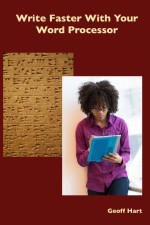
Book Review: Write Faster With Your Word Processor

March 18, 2022 Post a comment

Whether you are a hobbyist or a full-time writer/editor, Hart’s Write Faster With Your Word Processor will help you work more efficiently while enduring far less headache. This text covers all of the bases from buying your computer and programming your word processer, to making sure your symbolism and characters’ background stories are bullet proof in your final draft. The content focuses on working with Microsoft Word, yet it is inclusive of all writing platforms. Hart has even gone so far as to inlay links throughout the text connecting to additional online resources including reference pages and informative essays.

I personally have always thought that customizing my computer and word processor was just an extra day’s worth of work that wouldn’t make much difference in the long run. Boy, was I wrong! After trying out a couple of Hart’s suggestions, I went back and ran through the entire text with my word processor settings open on the side. My workday has not been the same since.


Alexandra Goodman is an author, editor, and for-hire copywriter and ghostwriter. She has tackled a wide range of genres including creative fiction, poetry, non-fiction, business, press, and technical writing. She has personal experience and interest in business management, marketing, non-profit organizations, ecology, animal-care, alternative energy use, and travel.

Categories: Book Reviews, Member Benefits

Member Benefit: Discount on Grammarly

March 11, 2022 Post a comment

Member Benefit #28

Confusing and sloppy writing damages your company’s credibility and frustrates your customers. Grammarly helps you write clear messages every time.

NAIWE members receive over a $75 savings annually!

Visit the NAIWE website to see all of the member benefits.

Categories: Member Benefits

Book Review: Write Faster With Your Word Processor

February 18, 2022 Post a comment

Write Faster, thanks to Geoff Hart!

Toiling for more than one master, many knowledge-workers give short shrift to their electronic interface. Besides wasting time, such a choice hastens data loss and repetitive stress injuries.

Wordsmith Geoff Hart has developed an answer to our prayers: a comprehensive and down-to-earth guide to harnessing the full powers of our workstations. The book is available in three formats: print, e-book, and PDF.

Based on Hart’s 30 years of teaching writers and editors, Write Faster builds on his Effective Onscreen Editing (4th edition, 2019). Hart offers nuanced answers for many of our nagging questions, including

  • Where are my files?
  • Why does my word processor hurt me? and
  • Isn’t there a way to automate this action?

Though the new work overlaps with Onscreen, Write Faster updates its guidance through Microsoft Word 2019 (both Mac and PC editions). Hart notes that most of his tips apply to any operating system and word-processing software.

Write Faster takes both experts and newbies by the hand, thanks to its engaging style. Readers will appreciate Hart’s glossary, which offers authoritative definitions of terms such as antialiasing, macro virus, and non-breaking space. Perhaps most importantly, Hart clearly informs readers on issues dividing writers; rather than taking sides in the Apple vs. PC debate, he lays out the merits of each side. Hart speaks his mind on software’s nagging limitations and offers fixes for many of Word’s challenges.

The advice offered by this book will help maximize writers’ efficiency. As part of the Write Faster site, Hart includes a “Things Not to Do” section, an indispensable resource for those of us who apprenticed on typewriters. Two strategies Hart offers are (1) eliminating the vestigial carriage return (ENTER key) and (2) creating your own page-numbering style. Appendix I advises adopting the Dvorak keyboard scheme in place of the less efficient QWERTY. Appendix II, devoted to the health aspects of our work, advises on our choice of lighting and keyboard.

Both writers and editors will enjoy Hart’s proactive approach to exploiting what our computers can do, warding off writing-specific trauma, and keeping manuscripts safe from prying eyes. To ensure the safety of our data, Hart advises us to buy an uninterruptible power supply (UPS), which will secure our files even during blackouts.

Hart puts readers in touch with some of the best resources available. Hart’s hotlinks, provided in the electronic edition, point us to resources such as Eyesafe, a brand devoted to reducing the eyestrain of onscreen work, and StretchWare, a tool that regularly reminds us to limber up. Hart includes links to the work of peers such as Paul Beverley, author of Macros for Editors and Jack Lyon of Mastering Word for Publishing Professionals.­

Hart’s #1 tip? Create Word styles for every occasion. That way, you won’t spend your time, and that of your teammates, fiddling with your ruler or space bar every time you begin a new document.

Based on Hart’s broad coverage, nuanced discussion, and abundant links to complementary work, we recommend Write Faster to writers and editors seeking to work more efficiently.


Jon Hartmann copyedits academic, business, and literary work, specializing in writing by non-native speakers of English.

Categories: Book Reviews, Member Benefits

Member Benefit: Discount on the Ghostwriting Professional Designation Program

February 11, 2022 Post a comment

Member Benefit #27

Ghostwriting Professional Designation Program (GPDP) trains writers, journalists, and published authors to be book-industry experts proficient in ghostwriting theory, skill sets, unique tools, and mindset transitions. The GPDP prerequisite Introduction to Ghostwriting is the 6-week GPDP prerequisite class to help you decide if professional ghostwriting is a good fit for you.

NAIWE members receive 10% off Introduction to Ghostwriting!

Visit the NAIWE website to see all of the member benefits.

Categories: Member Benefits

Book Review: Write Faster With Your Word Processor

January 21, 2022 Post a comment

Geoff Hart’s Write Faster With Your Word Processor is a complete guide to using computer technology to increase both the ease and efficiency of the writing process. Hart takes a step-by-step approach to unravelling the incredibly extensive and complex features offered by Microsoft Word for both Windows and Macintosh to aid writers in personalizing their computers for faster, more consistent writing. (Hart notes that his focus on Microsoft Word does not preclude using this guide with similar word-processing programs.)

Each chapter provides a “working approach” to the topic covered, with a link to “on-line stuff,” allowing the reader to check for further explanations or updates. In addition, resources cited along the way offer further reading on specific chapter topics — all documented in an online, continuously updated bibliography. The title may seem a bit misleading, as a glance through the table of contents (TOC) shows this book covers more than the word processor. It also offers sections on choices of hardware, additional software, and backup strategies, as well as online research strategies and health and safety suggestions.

As a writer, I have used a word processor since I traded in my legal pads and pencils for a stand-alone Panasonic word processor in the late 1980s. Over the years I have moved through a series of computers and a variety of software until I finally met Microsoft Word on a Windows Millennium laptop. My current computer is a Windows 10 laptop with Office 365. As much as I am on a computer for my work, however, I am not particularly computer savvy, so I rarely attempt to adjust anything on my laptop or within Word. (And Mr. Hart makes many suggestions in his book that I will not have the courage to try.) My writing runs the gambit from fiction (novels, short stories, and plays) to scholarly nonfiction and everything in between. I also suffer from carpel tunnel in both hands and am ever in search of keyboard shortcuts to minimize my mouse time.

Whether you recognize my experience as similar to your own or are a whiz on a computer, this book will definitely help you speed up your writing process. The step-by-step instructions, provided in excruciating detail, do sometimes take a long time (for me) to implement, but as I carefully make a list of those things I have changed in Word so I can (a) remember how to use them the next time and (b) know how to undo something I decide I don’t like, this book promises to make a huge difference in my writing efficiency.

If you have been writing on a word processor for a long time, some of this content may seem like a refresher course. You will find some ideas that you already use (e.g., I always use style sheets). There may also be some strong recommendations you have already considered and rejected (e.g., I only rarely use detailed outlines and have never liked the “Outline” view in Word). You will likely, however, discover something you never knew about your software and rejoice at the simplicity of the cure for something that has always proven problematic (e.g., I can now create keyboard shortcuts for my fictional character names!). The highly detailed TOC and an index allow for easy navigation, and an extensive glossary helps the reader decipher the technical terms needed to understand what the author is talking about.

Some of the content may seem terribly simplistic to a seasoned writer. For example, Hart makes a firm point about organizing your files and makes suggestions on ways to do it. But then I remember a writer friend of mine with multiple books under his belt who still has no idea of where any of his files are saved on his computer, so even this discussion could prove germane to some writers using a word processor.

I do not recommend anyone attempt to read, digest, and implement this entire book all at once, but if you are like me, you can browse the TOC and appendices to find those shortcuts that look promising then take them for a test drive. Hart does not claim to have all the answers for all writers, and, in fact, his recommendation is to “learn what works best for you.” Fine advice, indeed, from someone who has written a work covering a whole universe of how-to advice on using electronic tools to help writers write more efficiently. But all writers, I dare say, will find a great many useful tools herein, though the complexity of the subject matter will require patience to implement them.


Laura A. Ewald is a former university librarian turned freelance writer and editor. A recent transplant to the Deep South, she shares her southern Mississippi home with her elderly parents and an ever-changing assortment of adopted stray cats.

Categories: Book Reviews, Member Benefits

Member Benefit: Discount on Geoff Hart’s Write Faster With Your Word Processor

January 14, 2022 Post a comment

Write faster with your word processor! Whether you’ve been using your word processor for years, or have just begun to learn a new program, it’s easy to fall into the trap of complacency and accept a basic skill level. But whether you write for pleasure or write for a living, you should be spending more time writing and less time figuring out how to use the tools. In Write Faster Using Your Word Processor, Geoff will teach you how to use your software more effectively—both the tools you’ve used previously and new tools you haven’t yet tried. The skills apply equally well whether you write fiction or non-fiction. Although Geoff will use Microsoft Word 2019 to make the explanations more concrete, the same approach will work equally well with any word processor.

NAIWE members receive 21% off the print book or 33% off the e-book!

Visit the NAIWE website to see all of the member benefits.

Categories: Member Benefits

  • « Previous Page
  • 1
  • …
  • 8
  • 9
  • 10
  • 11
  • 12
  • …
  • 14
  • Next Page »

Recent Posts

  • Words Go a Long Way
  • Member Benefit: Discount on JPASS Annual Membership
  • Book Review: Speak Her Name
  • Jennia D’Lima, NAIWE’s Creative Nonfiction Expert
  • Days to Celebrate in February

Categories

Links

  • Member Area
  • NAIWE Bookstore
  • NAIWE- The Association Site
  • Words Matter Week

Meta

  • Log in
  • Entries feed
  • Comments feed
  • WordPress.org

Latest Posts

Words Go a Long Way

February 20, 2026

Member Benefit: Discount on JPASS Annual Membership

February 13, 2026

Book Review: Speak Her Name

February 9, 2026

Jennia D'Lima, NAIWE's Creative Nonfiction Expert

February 6, 2026

Days to Celebrate in February

January 30, 2026

NAIWE in Public View

January 16, 2026

Contact Us

  • 804-476-4484
  • P.O. Box 412
    Montpelier, VA 23192-0412
Facebook Instagram Linkedin twitter

© NAIWE. All rights reserved. Designed by My House of Design.